 MyVisitor
Microsoft 365
- Employees sign in with their Microsoft 365 account (single sign-on)
- Find hosts in your company address book
- Host notifications by email or WhatsApp
Visitor registration for businesses
MyVisitor replaces the paper visitor book with a quick digital check-in. Guests sign in on a tablet, the host is notified right away, and reception always knows who is in the building.
Works withMicrosoft 365Google WorkspaceNextcloud (soon)
Reception handles visitors, phone calls and deliveries at the same time. MyVisitor takes the routine work off their hands.
Expected guests check in within seconds by scanning the QR code of their digital visitor pass, which they receive by email or WhatsApp.
Visitors sign in themselves on a tablet in the lobby, with their visitor pass or a short form. They are checked in right away.
Visitors are expected, greeted by name and receive a digital visitor pass that can also be printed.
The host gets an email or WhatsApp message as soon as the guest checks in.
A live overview of everyone on site, which doubles as an evacuation list in an emergency.
Visitor data is processed in line with the GDPR: only what is needed, stored within the EU and deleted automatically after the retention period you choose.
The complete solution runs in European data centres, so visitor data stays within the European Union.
No more phoning around to find the host: MyVisitor notifies the host automatically, so reception can focus on the guest.
The host or reception registers the visitor in MyVisitor. On the day of the visit, the visitor receives a reminder with a QR visitor pass by email or WhatsApp.
On arrival, the visitor scans the QR code at reception or on the self-service tablet. No pass? A short form on the tablet will do.
The host receives an email or WhatsApp message and collects the guest. The visitor pass can be printed if needed.
The visitor scans the pass again when leaving, so the overview of who is on site stays accurate.
Employees sign in with the work account they already use, so there is no separate user list to maintain and nothing new to learn.
Access control, gates or parking? Connect them with the MyVisitor API and webhooks. Using a different platform? We are happy to discuss the options.
No large project and no expensive hardware. Start small and grow when you need to.
The reception overview, the self-service tablet and the digital visitor pass.
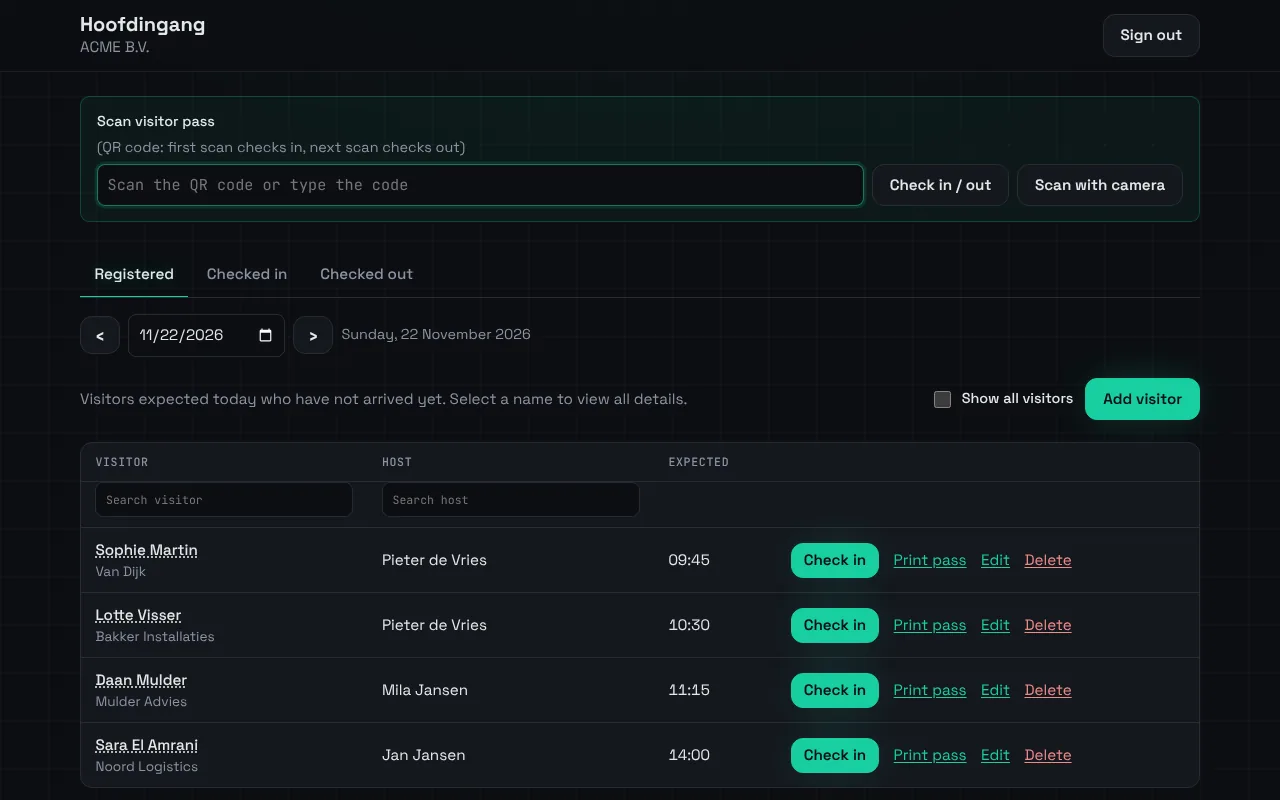
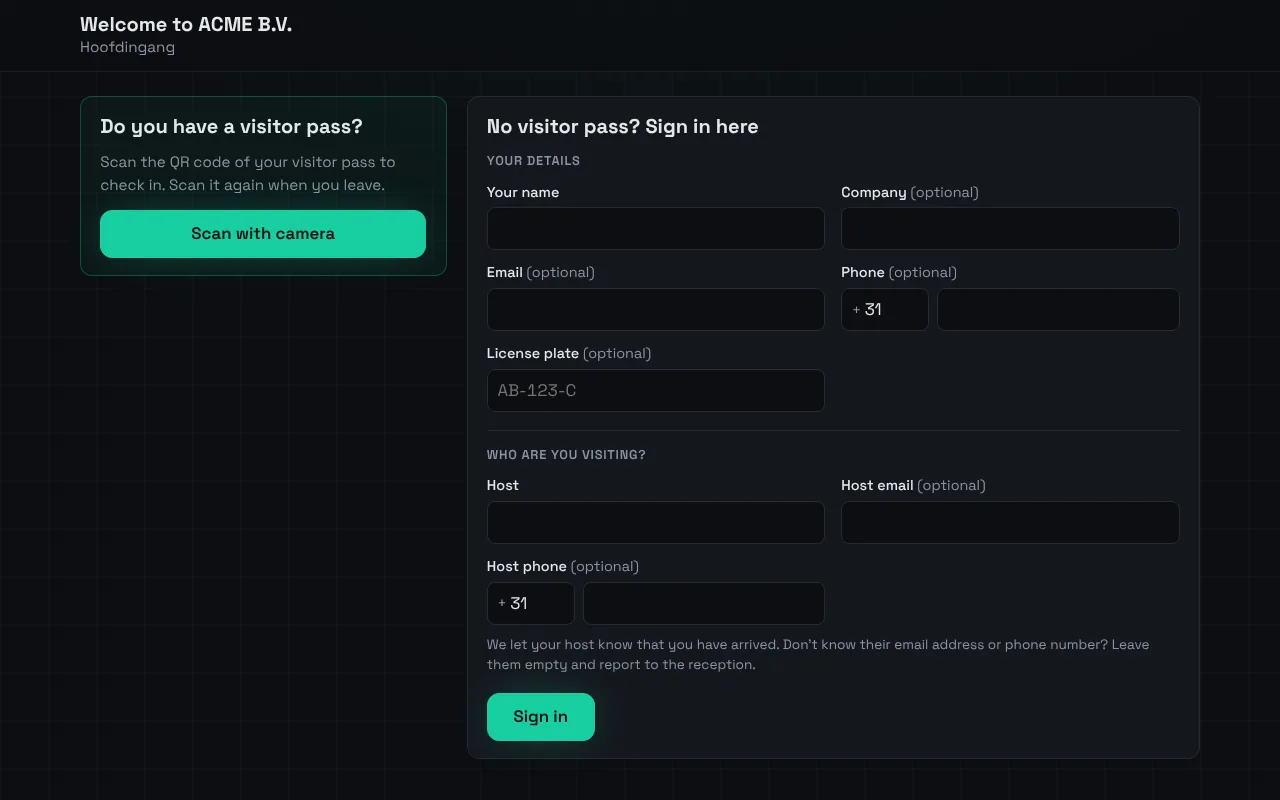
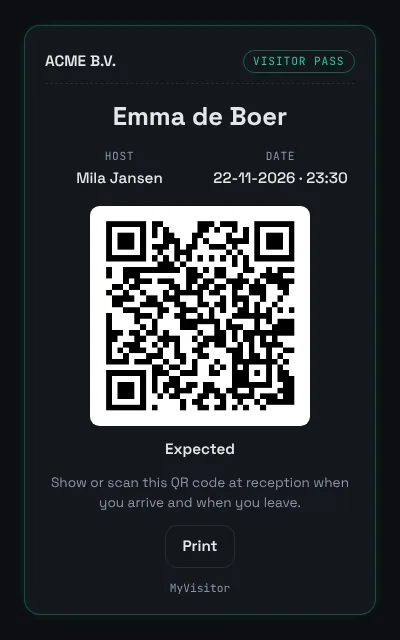
One price per month, no setup costs and no long contracts. Choose the plan that fits the number of visitors and entrances.
€0per month
€10per month
€30per month
Prices for plans with WhatsApp include the costs charged by Meta for WhatsApp messages: no extra charges.
All plans: hosted in the EU, GDPR compliant and updates included.
There is a free plan for 1 reception and up to 15 visitors per week. Paid plans start at €10 per month, with no setup costs and no long contracts.
In data centres in Frankfurt, Germany, within the EU. Visitor data is deleted automatically after the retention period you choose (30 days by default).
Yes. MyVisitor processes visitor data on your behalf, records only what is needed, stores it in the EU and deletes it automatically. Read more in our privacy policy.
No. Reception works in any browser. For self-service any tablet will do; visitors scan their QR pass with its camera or with a barcode scanner.
With the QR code of their visitor pass, at reception or on the self-service tablet. Without a pass, the visitor fills in a short form on the tablet or reception registers them.
By email, or by WhatsApp if your plan includes WhatsApp, as soon as the visitor checks in.
Yes. Employees sign in with their work account. With Microsoft 365, reception can also find hosts in the company address book. Support for Nextcloud is coming soon.
Create a free account on this page with the short name of your company and a business email address. You receive an activation link and can start right away.
Choose the web address of your company and enter the business email address of the person who will manage the account. We send an activation link to that address, valid for 24 hours; after activating you choose the admin password and complete your details. Free, with no obligations.